![logo-basking-white-2.png]](https://support.basking.io/hs-fs/hubfs/logo-basking-white-2.png?height=20&name=logo-basking-white-2.png)
Lease events in LeaseOps represent actions like renewals, terminations, and payments. Each event is tied to a lease and may include specific start and end dates, notice periods, documents, and associated costs.
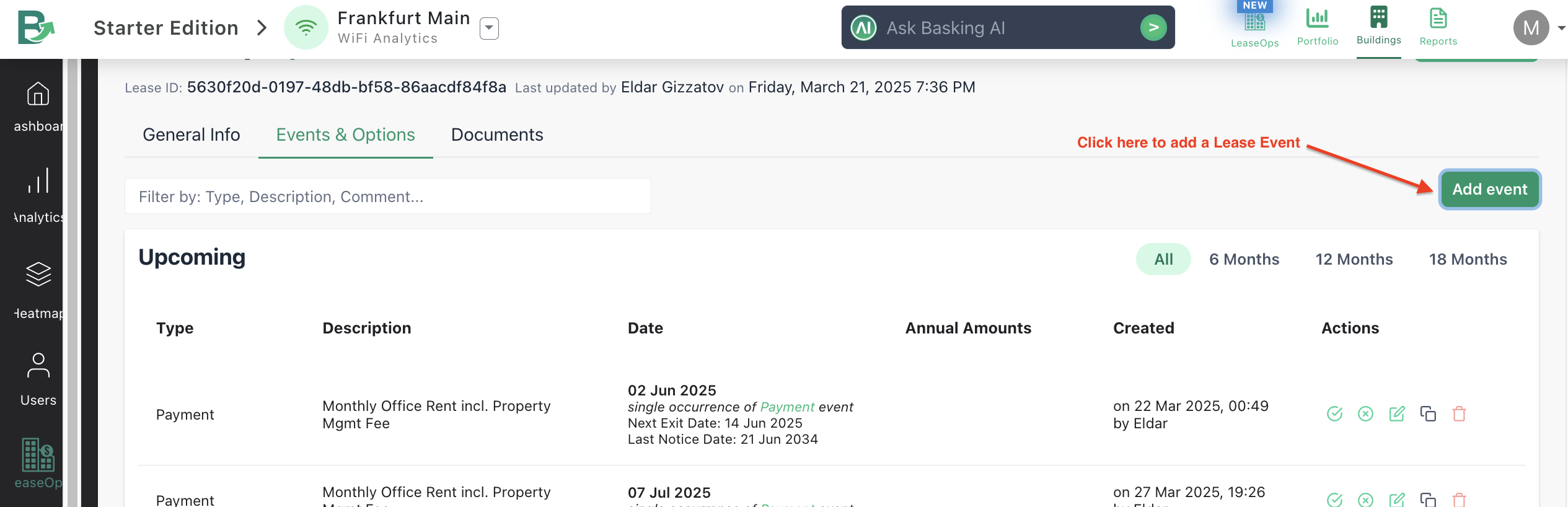
You can click the Add event button within the LeaseOps module to add a lease event as shown in the below screenshot:
Common Event Types
- Renewal: Indicates lease extensions. Can be recurring.
- Termination: Used when a lease or a portion of it is ending.
- Payment: Represents monetary obligations such as rent or service fees.
- Parking Reservation: Captures associated parking costs and space count.
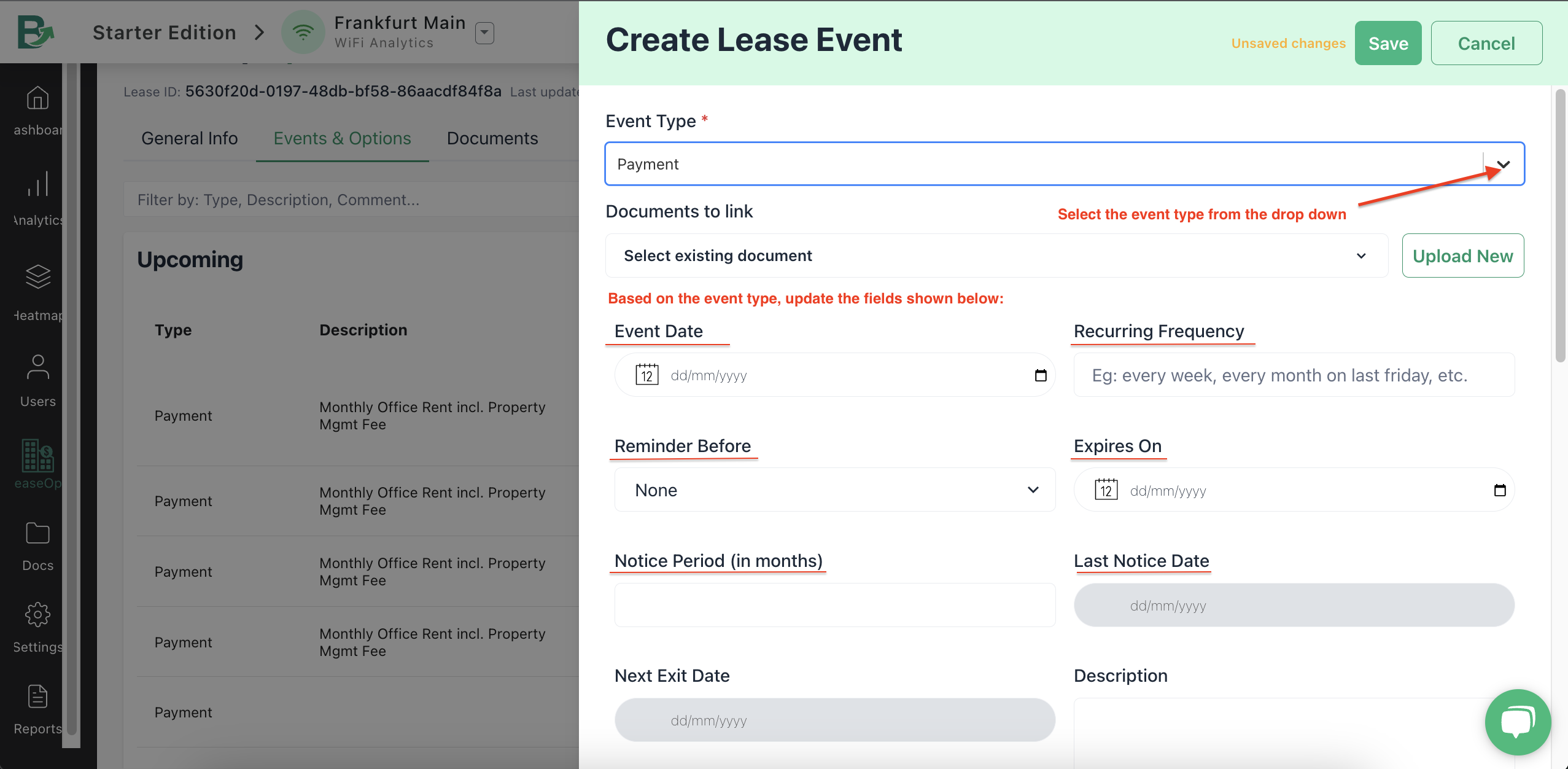
Based on the event type selected from the dropdown as shown below, update the relevant fields as seen in the screenshot:
Event Workflows
Lease event workflows are structured sequences of tasks or actions triggered by specific lease-related events. The below methods of handling workflows help ensure timely, compliant, and efficient handling of leases throughout the lease lifecycle.
You can fo the following with Lease events:
- Resolve an event to confirm it's being executed.
- Expire an event to indicate it's no longer active or exercised.
- Set recurrence for auto-renewals and ongoing options.